Customer management

All your customers on one screen, ready to renew

Sign-up, search, one-click renewals, WhatsApp access messages and live connections on a single screen.

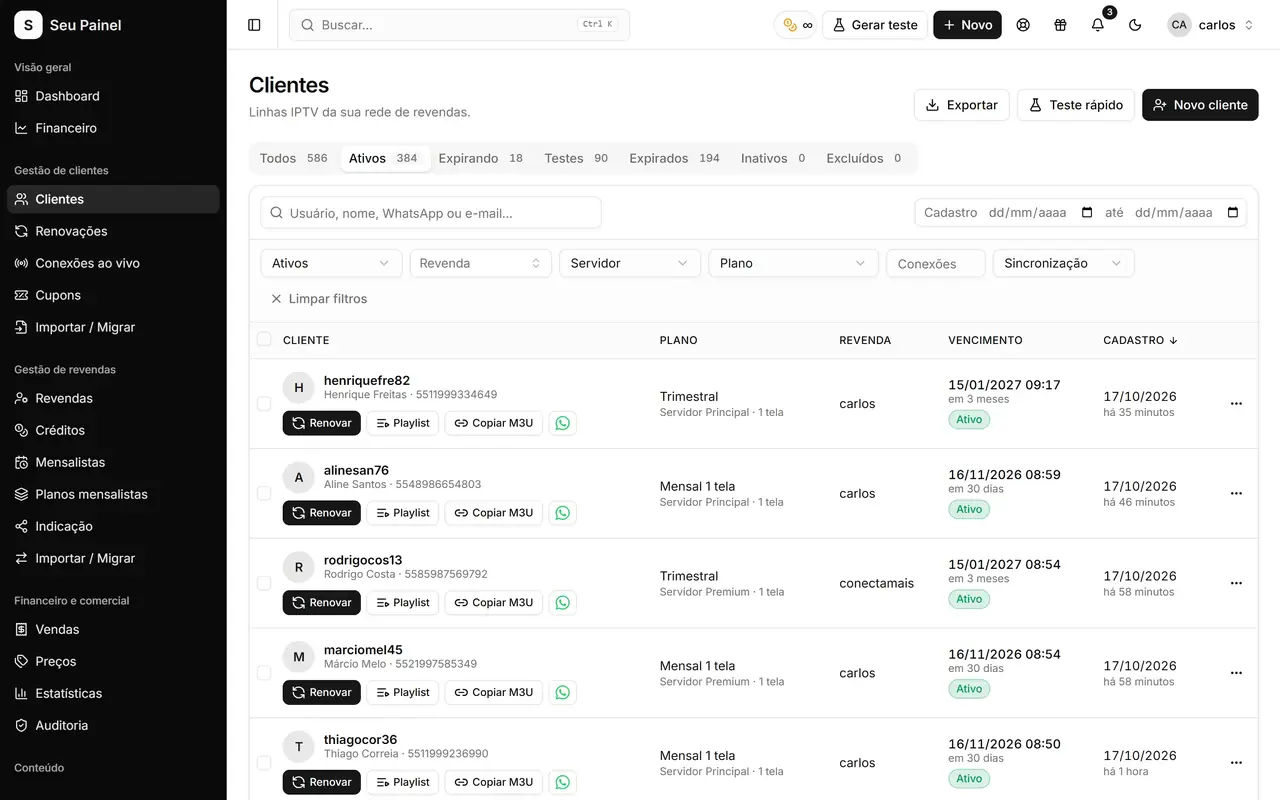
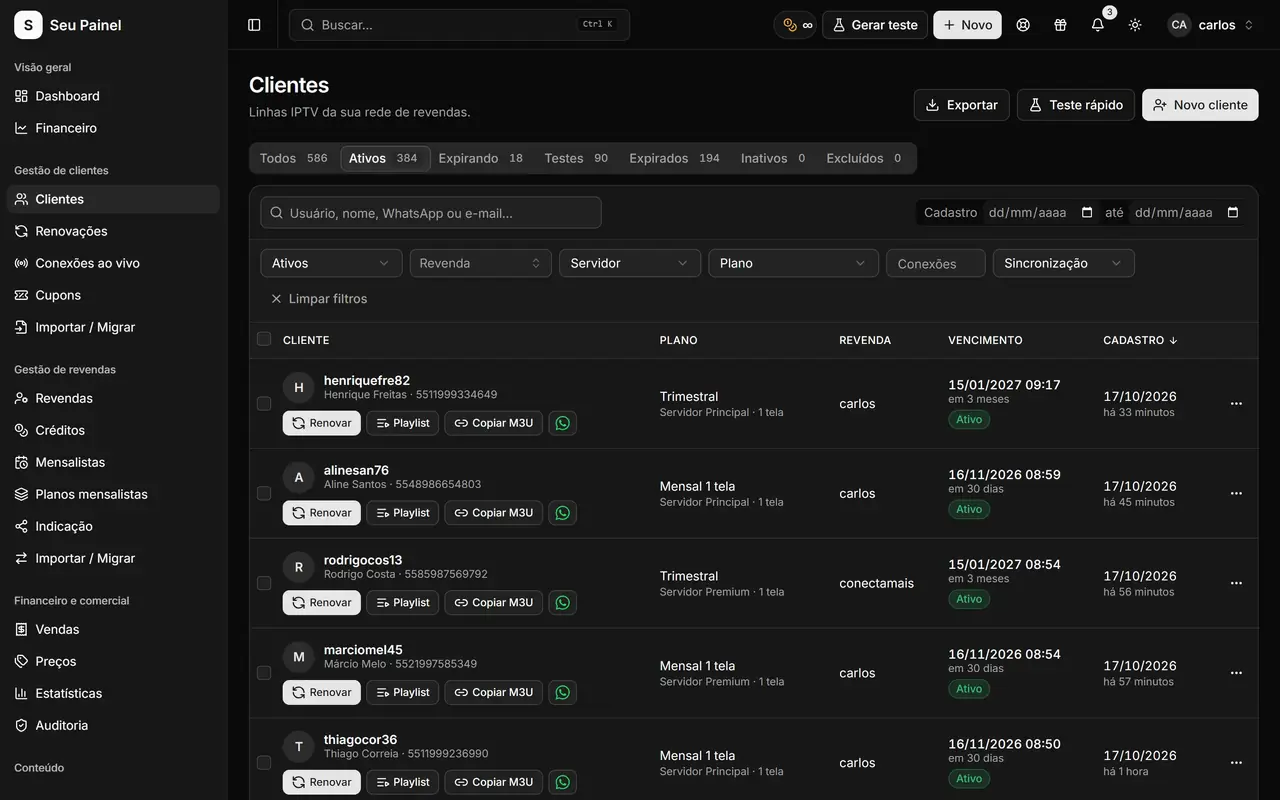
Painel Blend screen: customer list with search, filters, server and expiration datePainel Blend screen: customer list with search, filters, server and expiration date

Highlights

Fast search and filters

Find any customer by name, username, phone or status. The list reads from the panel's own database, so it stays fast even with thousands of subscriptions.

One-click renewal

Renew right from the list, no forms to open. The panel logs the operation and replicates it to the customer's server.

Access details via WhatsApp

Send username, password, DNS and links in one click, using the message template linked to the customer's plan.

Live connections

See who is watching right now, refreshed roughly every 30 seconds, and spot shared accounts.

Connection limit and server

Each customer has a server and a screen limit set on their record, plus a notes field.

Coupons and trial blocking

Create discount coupons and block people who keep grabbing free trials.

How it works

  1. 01

    Add or import

    Create customers by hand or bring your base via CSV or from another panel with the Import/Migrate tool.

  2. 02

    Send access

    Pick the plan and server, save, and send the access details by WhatsApp in one click.

  3. 03

    Track and renew

    Watch live connections and expirations, and renew in one click when the customer pays.

A list built for daily work

The Customers screen is where you spend most of your day, so it is designed to handle common tasks without extra clicks. Search by name, username or phone, filter by status (active, expired, on trial) and by server, then act right on the row: renew, edit, send access or open the history.

Screens read from the panel’s own database instead of hitting the server on every click, so navigation stays fast even with a large base. When you create, renew or change a customer, the panel logs the operation and replicates it to the correct server.

A complete record, without the hassle

On the customer record you set the plan, server, connection limit, expiration date and a notes field for anything useful (preferred payment method, device, agreements). After saving, the WhatsApp button sends the access message with username, password, DNS and links, using the message template (playlist) linked to the plan. See how to build those templates in tests and playlists.

Renewing takes one click on the list. If you would rather let customers pay and renew themselves, turn on the Pix renewal page described in Pix renewals.

Live connections and usage control

The Live connections screen shows who is watching right now, refreshed roughly every 30 seconds. It is the simplest way to notice a login being shared beyond what was agreed, or to help a customer who says they cannot connect.

To protect your operation you also get:

  • Discount coupons for campaigns and win-backs;
  • Trial block, which stops free-trial abuse;
  • Unblock IP, to quickly release a customer blocked by mistake.

Your customers on your phone too

The panel is responsive and works well on mobile, in light and dark mode. You can look up a customer, renew and resend access by WhatsApp from anywhere, without a computer. With the command palette (⌘K), you jump straight to a customer or a screen by typing a few letters.

Bring your base in minutes

Nobody wants to re-enter customers one by one. The Import/Migrate tool accepts CSV and imports from other panels, and Sigma users get a dedicated flow with a summary and live progress. Read the walkthrough in how to migrate from Sigma without losing data.

Frequently asked questions

Can I set how many screens each customer uses at the same time?

Yes. The connection limit lives on the customer record and is enforced on the server they belong to. Live connections shows who is online right now.

Can I bring my customers from another panel?

Yes. Import/Migrate accepts CSV files and imports from other panels. If you are coming from Sigma there is a dedicated migration tool.

What if I work with more than one server?

Each customer is linked to a server. The panel is the source of truth and replicates creations, renewals and edits to the right server.

How do I prevent free-trial abuse?

Turn on Trial block to stop new trials for people who already took several. If a legitimate customer gets blocked by IP, the Unblock IP tool fixes it instantly.

See it in action

Join the closed beta and use this module in your business.