One panel, many servers
Streaming operations rarely run on a single server. In Painel Blend, each customer is linked to a server, and you manage all of them from one place. When you create, renew or edit a customer, the operation is recorded in the panel and replicated to the matching server. The panel is the source of truth, which avoids the classic mismatch between what the system shows and what is actually on the server.
There is a direct day-to-day benefit: since screens read the panel’s own database, lists, filters and reports open quickly, without waiting for every server to respond. See how this shows up in customer management.
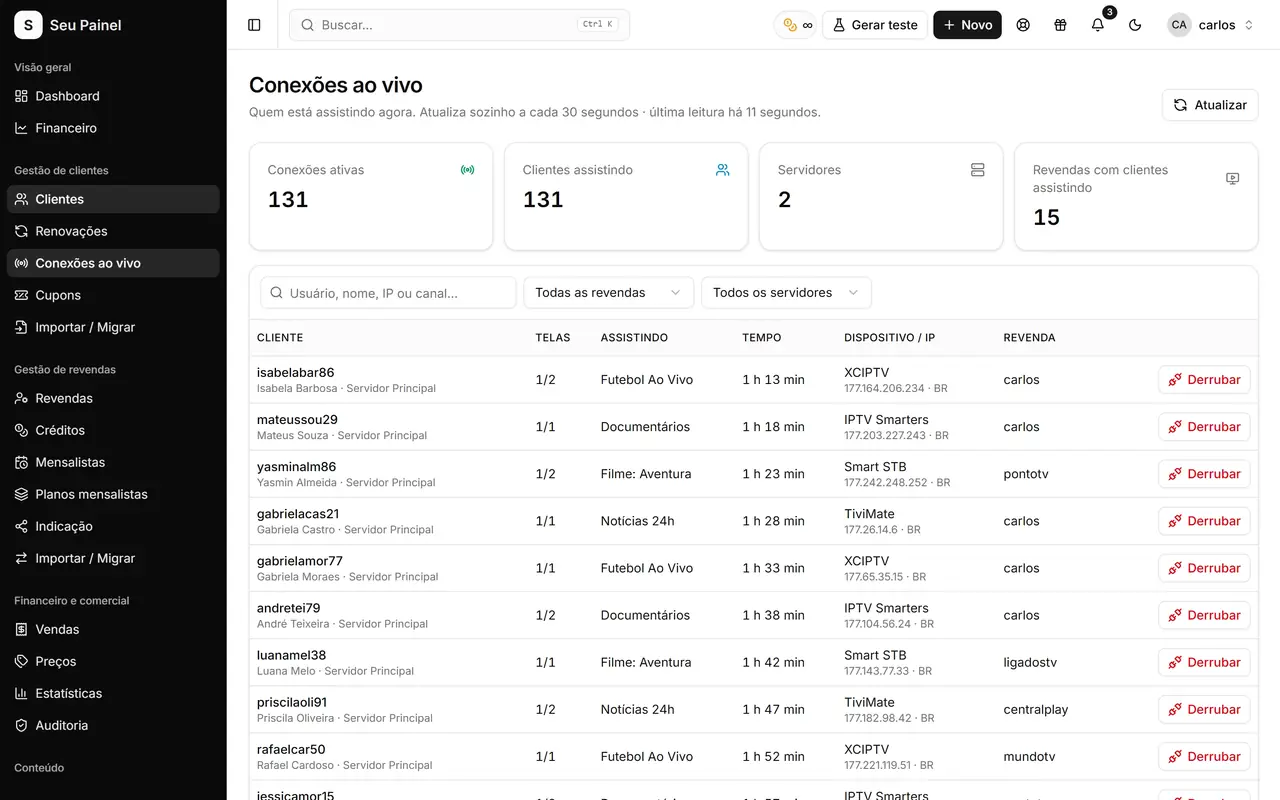
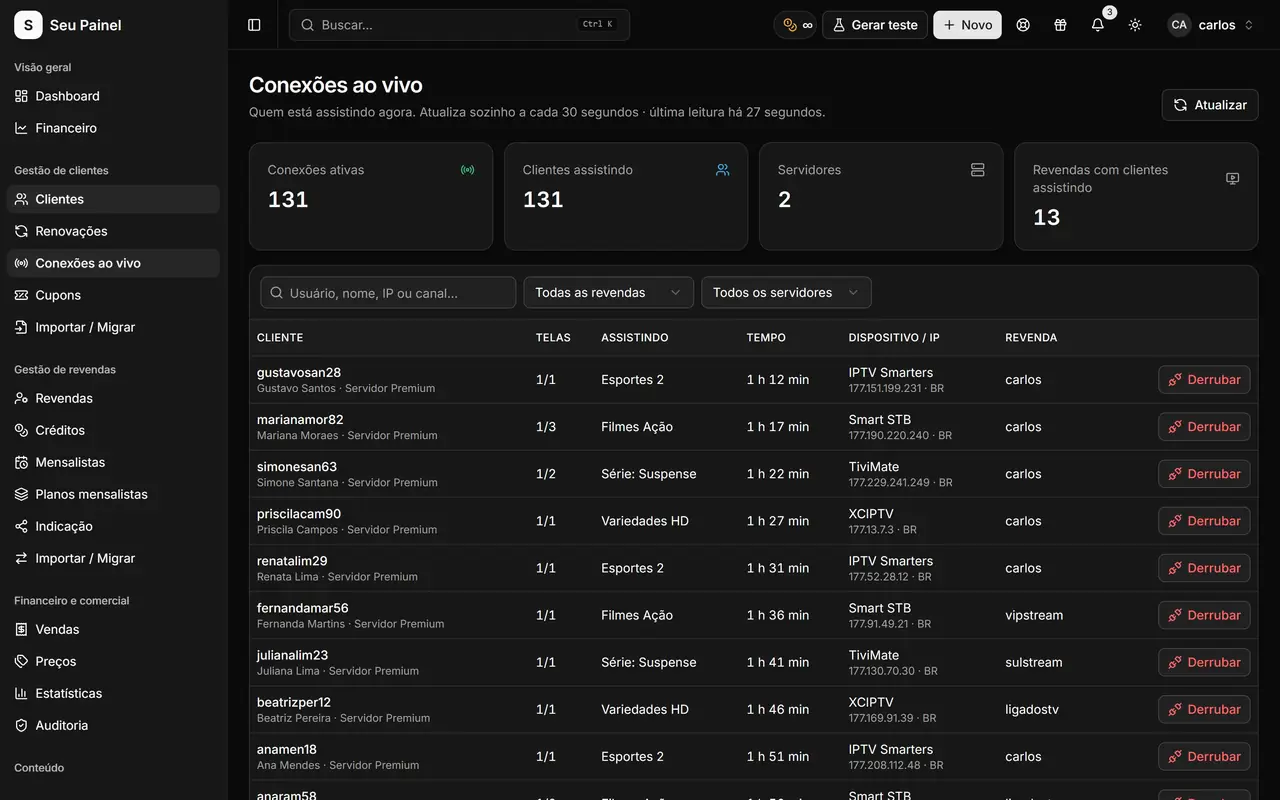
Live connections
The Live connections screen shows who is watching right now, refreshed from the server roughly every 30 seconds. It helps you spot usage above each customer’s connection limit and provide support based on real information, not guesses.
Player app integration
In Settings > Apps, you connect Max Player by entering its token and domain. That keeps the panel integrated with the player app your customers use and makes access delivery simpler. Messages with access data can be built in playlists, using variables such as {username}, {password} and {dns}.
Domains for your network
The Domains module lets you buy and sell domains to your resellers, with rules set under Domain sales. It is one more product for your network and one more revenue stream inside the same panel.
Coming from another system?
If your customers and servers currently live in another panel, the Sigma migration tool shows a per-server summary before importing, so you can check everything first. To keep this setup protected, take a look at security and backups.
Day to day, that means less rework: you pick the server when creating the customer, set the connection limit and follow real usage on the live connections screen. When you need to move a customer to another server or change the limit, you do it from the panel itself, which takes care of replicating the change. Your operation stays centralized, fast and easy to audit. Everything happens from one place, for every server you run.