Pix renewals

Customers pay by Pix and renew themselves, without you

A Pix renewal page, automatic reminders and payment confirmation with no webhook setup required.

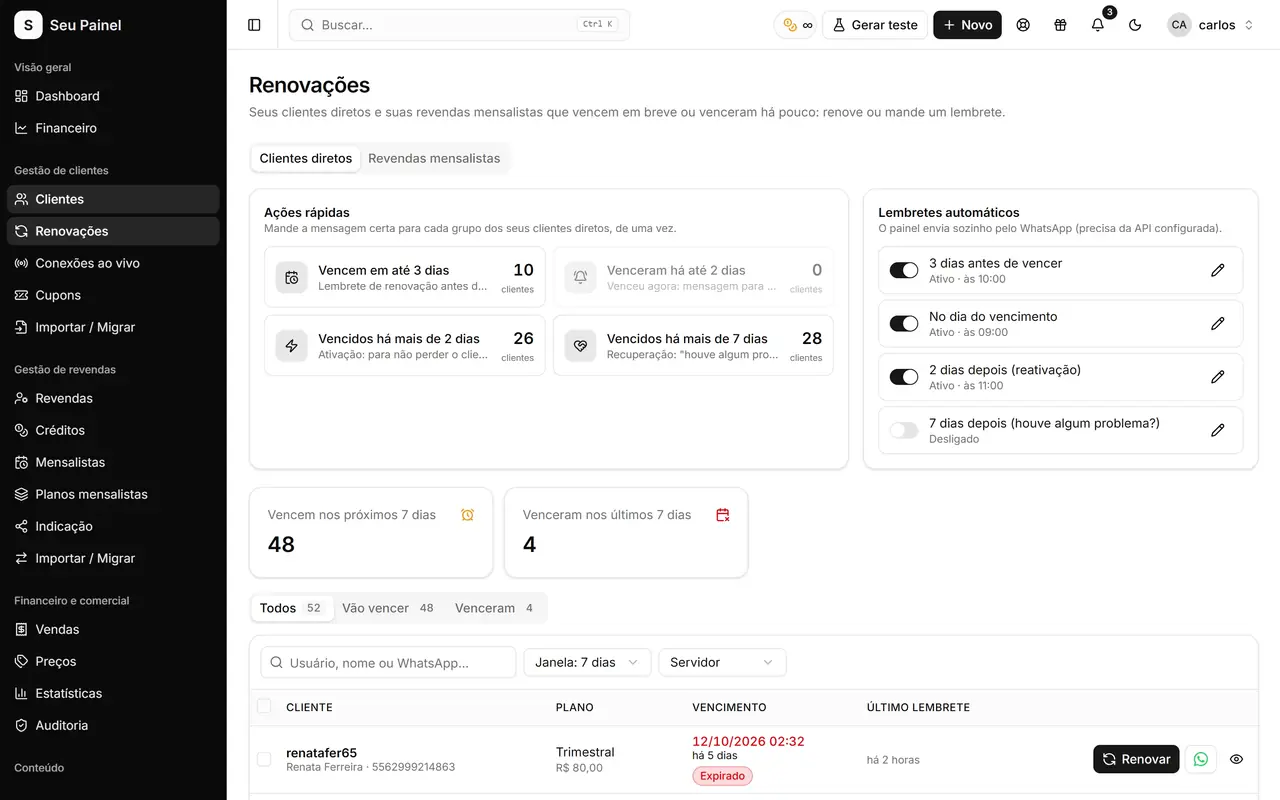
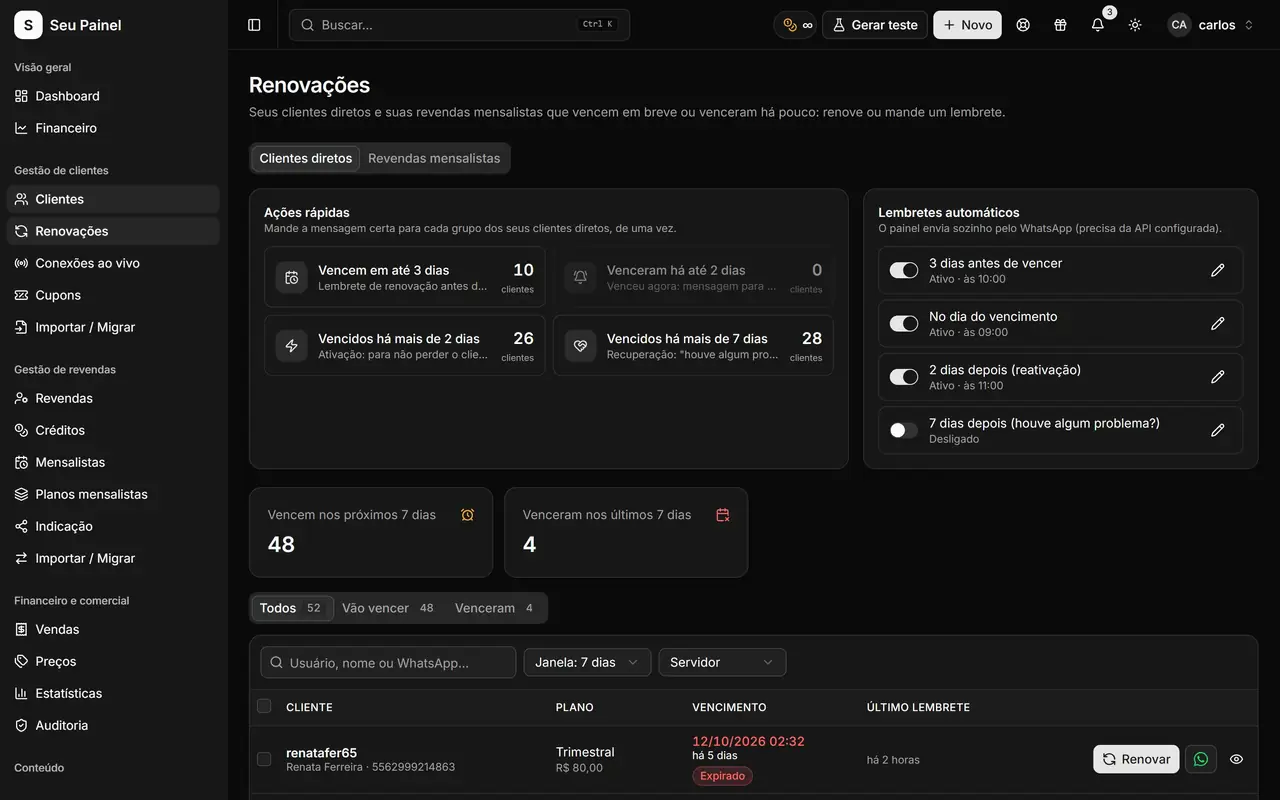
Painel Blend screen: renewals screen with customers expiring in the next daysPainel Blend screen: renewals screen with customers expiring in the next days

Highlights

Public renewal page

Customers open your page, choose a plan, pay by Pix and their subscription renews automatically.

No webhook setup

The panel checks the charge status with the gateway itself. Just paste your credentials and you are done.

Built-in gateways

Mercado Pago, Asaas, Woovi (OpenPix) and PaggPay, each configured under Settings > Payments.

Expirations list

See who expires in the coming days and act with quick actions: renew, charge or send a message.

Automatic reminders

WhatsApp automations warn customers before they expire and help win back those who already lapsed.

Your look and feel

Edit the renewal page's copy, colors and appearance in the editor, with your panel's brand.

How it works

  1. 01

    Connect your gateway

    Under Settings > Payments, enter your Mercado Pago, Asaas, Woovi or PaggPay credentials.

  2. 02

    Share your page

    Customize the renewal page and send its link in expiration reminders.

  3. 03

    Get paid and renew

    The customer pays by Pix, the panel confirms the payment and renews the subscription on the server automatically.

Renewals that happen while you sleep

Chasing each customer at the end of the month takes time and leaves money on the table. With Painel Blend’s renewal page, customers open the link, choose a plan, pay by Pix and get their subscription renewed on the server automatically. You just follow the results on the Sales screen and in Finance.

The page is public, lives on your panel’s domain and can be customized in the renewal page editor: copy, colors and appearance that match your brand.

Pix with no webhook setup

The biggest pain of payment integrations is usually the webhook: URL, secret, events, testing. Here it does not exist. Once you paste your credentials under Settings > Payments, the panel checks the charge status with the gateway on its own and confirms the payment as soon as the Pix lands.

Available gateways:

  • Mercado Pago
  • Asaas
  • Woovi (OpenPix)
  • PaggPay

Money goes straight to your gateway account. Unpaid Pix orders expire after 48 hours, so your pending list never turns into a mess.

Expirations under control

The Renewals screen lists who expires in the coming days, with quick actions to renew, charge or message. Combined with WhatsApp automations (expiration reminder and reactivation), customers get the notice at the right moment, with the renewal page link. See how to set up those messages in API and WhatsApp, Telegram and e-mail automations.

On the Dashboard, upcoming expirations and the month’s revenue sit side by side, so you always know what is still to come in.

Everything recorded in Finance

Every confirmed payment shows up in Sales and flows into Finance, with revenue by origin and a 12-month chart. That way you can tell what came through the renewal page from what was renewed manually, and follow your MRR month by month without a side spreadsheet.

For resellers too

Resellers on the monthly membership model (Mensalistas) get their own renewal page, so the same automatic Pix flow works across your network. Learn about both models in resellers and credits and read more tactics in automatic Pix for renewals.

Frequently asked questions

Do I need to configure a webhook on the gateway?

No. The panel checks the charge status with the gateway on its own and renews as soon as the Pix is confirmed. You only enter your credentials.

Which payment gateways are supported?

Mercado Pago, Asaas, Woovi (OpenPix) and PaggPay. The money goes straight to your gateway account; it never passes through Painel Blend.

What if a customer generates a Pix and never pays?

The order stays pending and expires after 48 hours. If they come back later, they simply generate a new Pix on the renewal page.

Can I still renew manually?

Yes. One-click renewal on the customer list and on the Renewals screen is always available, for example for cash or bank transfer payments.

See it in action

Join the closed beta and use this module in your business.