Why white label matters
When end customers and resellers sign in to a panel with your name on it, your brand gains value with every login. You stop being “just another user of system X” and become the owner of the experience. In Painel Blend, customization is not buried somewhere: it lives in Settings > Appearance and Panel domain, ready to use.
Appearance: from logo to login background
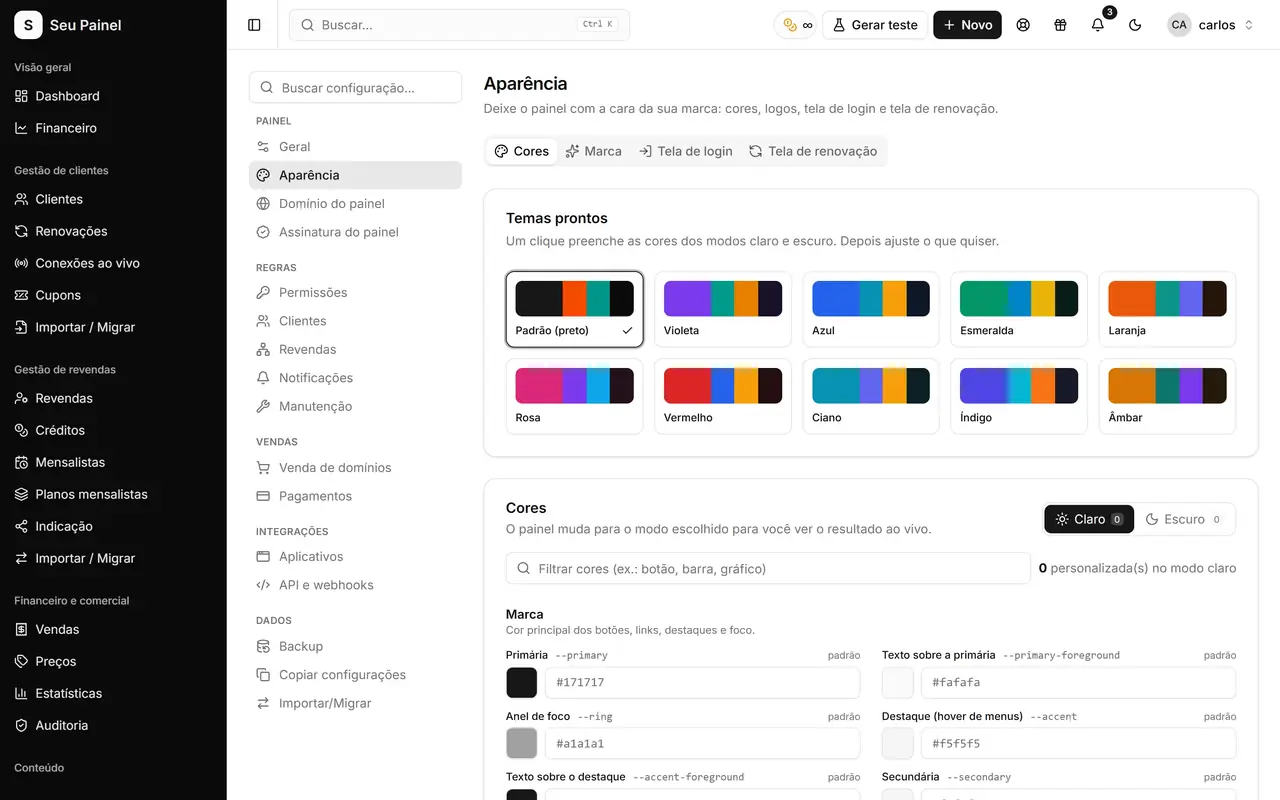
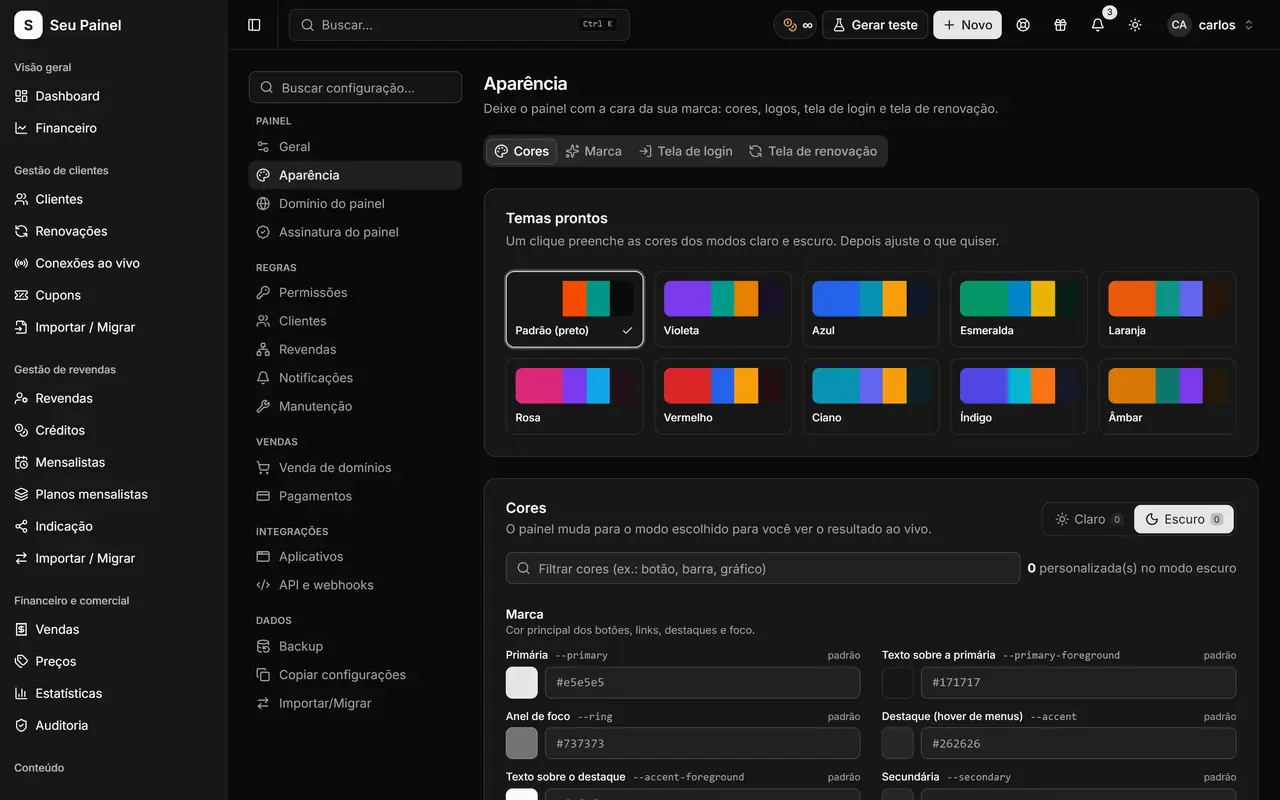
In the appearance editor you set name, logo and favicon, pick a color preset or build your own palette, and adjust corner radius and sidebar style. The login screen accepts an image, video or gradient background, which helps you look professional from the very first contact. Everything works in both light and dark mode.
The result is a panel that looks tailor-made, like the blue version you can see in the screenshots on this page, without writing a single line of code.
Custom domain with automatic HTTPS
Instead of a generic address, use something like panel.yourbrand.com. The process is simple: the panel shows the CNAME and TXT records you need to create at your DNS provider. As soon as they are verified, the domain goes live and the HTTPS certificate is issued automatically. No buying SSL, no server setup.
The full walkthrough, with DNS tips, is in the article white label with your own domain.
Login and renewal pages in your style
Two pages get seen by a lot of people: the login page, used by your team and resellers, and the renewal page, where customers pay via Pix and are renewed right away. Both have their own editors in the panel, so you can adjust copy, visuals and calls to action. Learn more about the public page in Pix renewals.
If your plan is to sell the panel itself under your brand, take a look at the distributor portal, where white label goes one step further.
A good practice is to set up your identity before inviting your network: a high-resolution logo, a favicon that stays readable at small sizes and a main color with good contrast in both light and dark mode. Then connect the domain, and only after that share the address. From the very first visit, resellers and customers find a consistent environment, with the same brand on the login, the panel and the renewal page.